For Etsy magnet sellers
Sell magnets on Etsy without re-laying out every order in Canva.
Lay out your Etsy orders in the free Print Studio instead of Canva. Drop in the buyer's photos and export a print-ready sheet. The Etsy integration is on the way. Until then, Vixie handles the layout and you handle the order.
Updated

The Etsy magnet market
Why photo magnets suit an Etsy shop.
Etsy buyers look for things that are personal, make good gifts, and ship easily. Photo and puzzle magnets are all three. You make them yourself, so there's no print partner taking a cut.
Made for gifts
Anniversaries, weddings, new babies, and grandparents. A magnet with their own photo is an easy gift to personalize.
Easy to ship
Magnets are flat and light, so a few fit in a small rigid mailer.
You make them
You print, press, and ship. Etsy charges a $0.20 listing fee, a 6.5% transaction fee on the item and its shipping, and a payment processing fee that depends on your country.
Today's workflow
What an Etsy magnet seller's day looks like with Vixie.
The Etsy integration is coming. Until then, here's how to get from a day of Etsy orders to packed magnets.
- 1
Morning: download the day's photos
Open each new Etsy order and download the photos the buyer sent. Save them in a folder named with the order date.
- 2
Drop the photos into Print Studio
Open studio.vixie.app. There's no signup, and the photos stay on your device. Drag them onto the sheet and Print Studio lays them out on your Letter, A4, or 13×19 paper. The free version does up to three sheets at a time.
- 3
Crop, add text, and export
Click a magnet to move its crop. Add a name or date on the photo, or your shop handle around the edge, if the buyer asked for it. Export a print-ready PDF.
- 4
Print, press, pack, and ship
Print the sheet, cut along the guides, and press each magnet. Pack them in a rigid mailer with a thank-you card and buy the shipping label through Etsy.
- 5
Mark the orders shipped
Mark each order shipped in Etsy with its tracking number.
The layout engine
Print Studio: free for every Etsy magnet seller, even without a Vixie account.
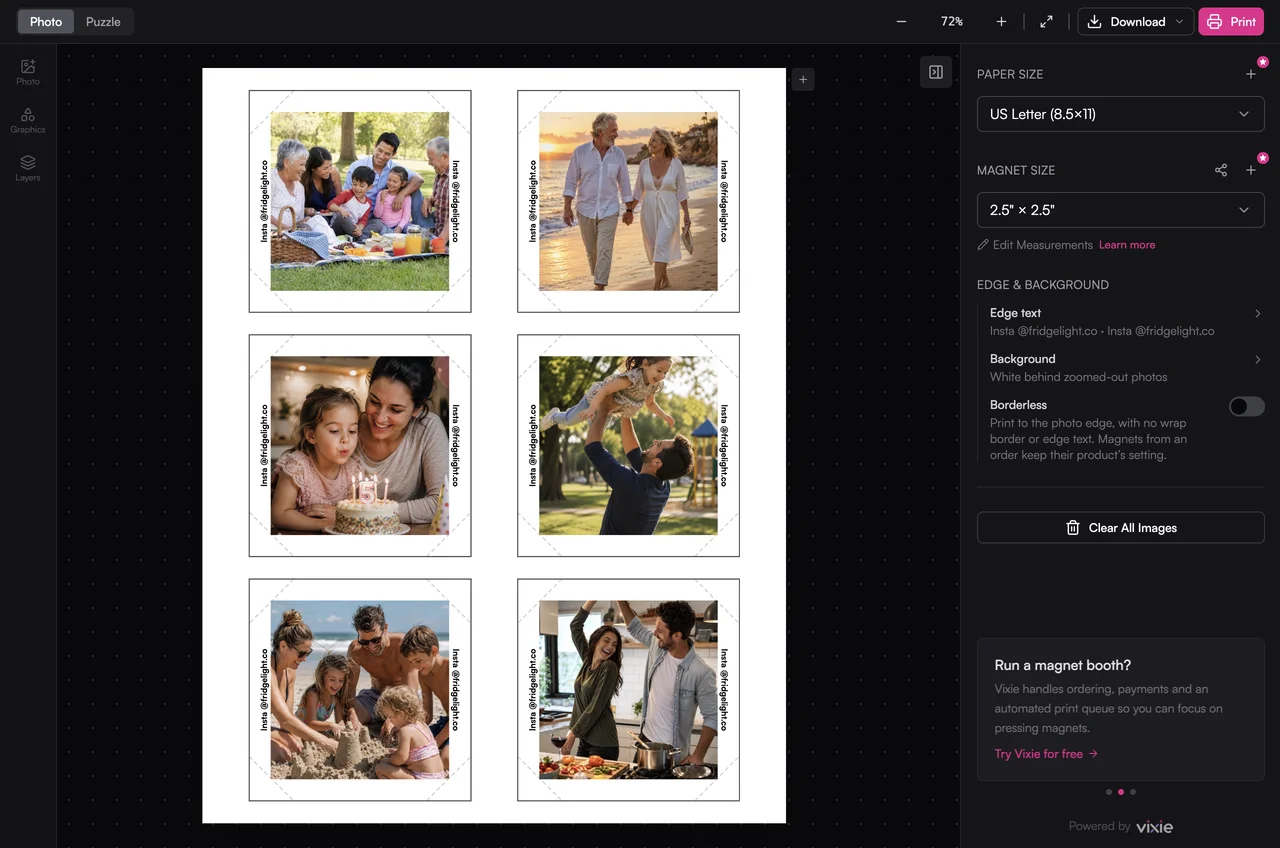
The slow part of an Etsy magnet shop is laying out each order in Canva or Photoshop. Print Studio works out the paper size, the bleed, mixed sizes, and puzzle grids for you. It's free in your browser, and your photos never leave your device.
- Squares, rectangles, and rounds on the same sheet
- Nine puzzle grid presets, including 2×3, 3×3, 3×4, and 4×4
- A name or date on the photo, and text around the edge
- Print-ready PDF, PNG, or ZIP at 300 DPI
- No signup, and nothing uploaded
Coming soon
Etsy orders, straight into Vixie.
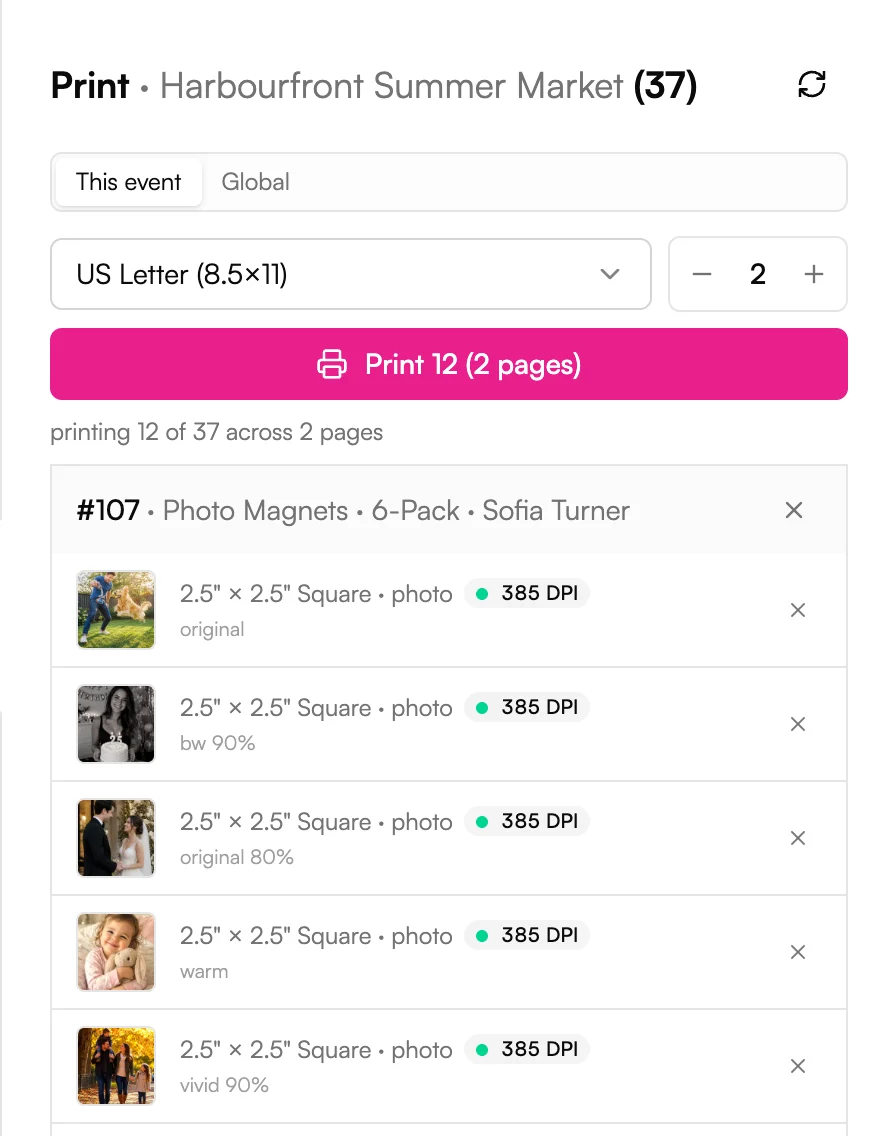
Once the Etsy integration ships, most of the workflow above goes away. Paid Etsy orders come into Vixie on their own. You send the buyer a link in Etsy Messages, they add their photos, and the magnets land in your Print Queue next to everything else.
- Paid Etsy orders come into Vixie on their own
- Buyers upload and crop their own photos from your link
- Their photos attach to the right order
- Every order prints from the same Print Queue
- Link the Etsy listings you already sell
Want to hear when it's ready? Join the Etsy list. We'll email you once, when it launches.
Pricing on Etsy
Pricing magnets for Etsy.
Vixie's starting prices are set for your booth and your own shop. On Etsy, fees come out of every sale, so work them into your price.
| Product | Vixie starting price |
|---|---|
| One 2.5" photo magnet | $6 |
| 3-pack of photo magnets | $17 |
| 6-pack of photo magnets | $32 |
| 6-piece puzzle (2×3 grid) | $15 |
| 9-piece puzzle (3×3 grid) | $22 |
| 12-piece puzzle (3×4 grid) | $28 |
USD, for 2.5" square magnets. Etsy charges a $0.20 fee for each listing. On each sale it takes a 6.5% transaction fee on the item and its shipping, plus a payment processing fee that depends on your country.
Questions
Etsy magnet seller FAQ
Does Vixie connect to Etsy directly?+
How do I handle photo uploads from Etsy customers?+
What size magnets should I sell on Etsy?+
How do I price magnets on Etsy?+
Should I sell on Etsy or my own Shopify store?+
How fast do I need to ship?+
Can I run an Etsy magnet shop and event vendor business at the same time?+
Keep going
Related reads.
Print Studio
Lay out your own sheets and export them at 300 DPI.
Read more →ProductPuzzle magnets
2×3, 3×3, and 3×4 grids that print as one sheet and snap apart into individual magnets.
Read more →Business guideStarting a photo magnet business
Gear, what each magnet costs you, pricing, and the booth playbook for new vendors.
Read more →Free tool · PricingMagnet profit calculator
Punch in your costs, price, and booth fee to see your real profit, margin, and break-even before you book the next craft fair.
Read more →Ship your next Etsy batch without opening Canva.
Open the free Print Studio and lay out today's orders. When the Etsy integration arrives, Etsy orders come into Vixie on their own.