Text captions

Let customers write on their magnets.

Names, dates, and inside jokes, typed straight onto the photo and printed exactly as customers see it.

Included on every plan. Works at events, in your online store, and on Shopify and Wix.
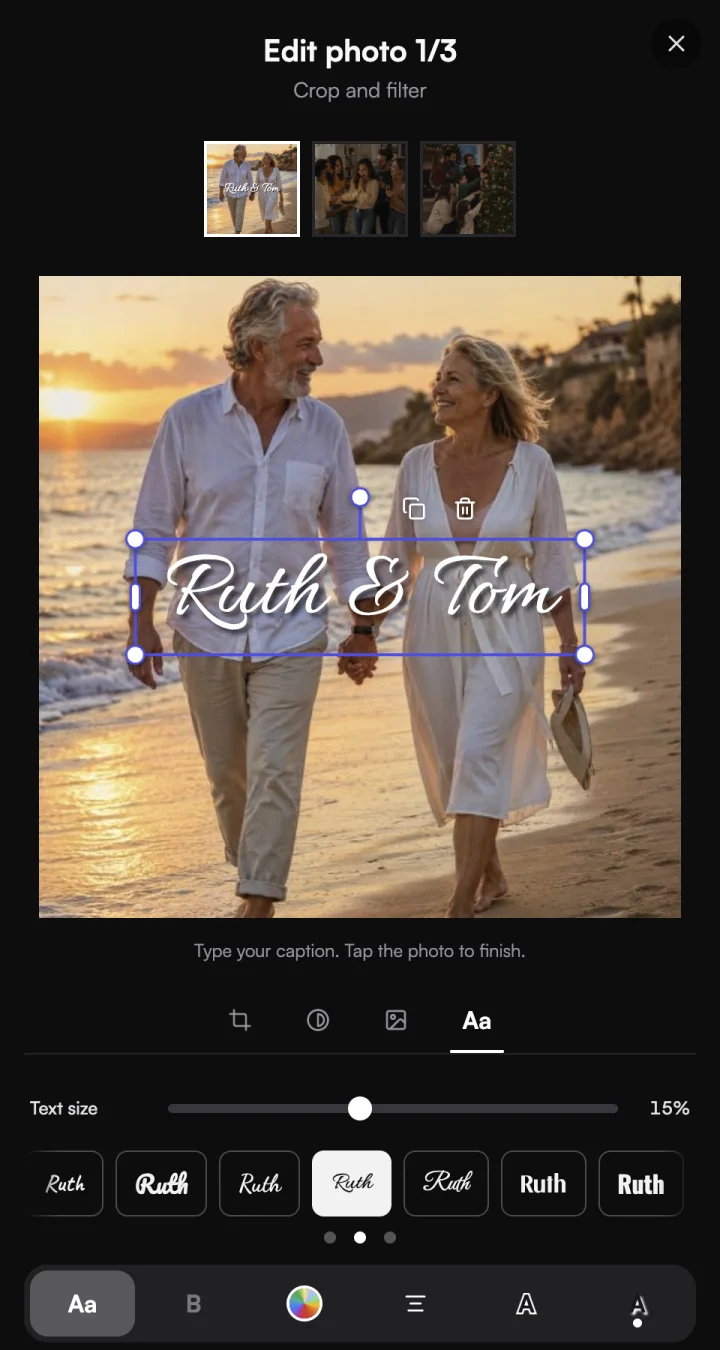
Customer adding Ruth & Tom in a script font to a beach photo, with font buttons previewing their words
Prints at 300 DPISame size and spot as the preview

For your customers

Type it, style it, check it.

Type

Words go right on the photo.

Customers tap their photo and type. The caption appears at the size and spot it will print.

Font buttons preview the customer's own words.
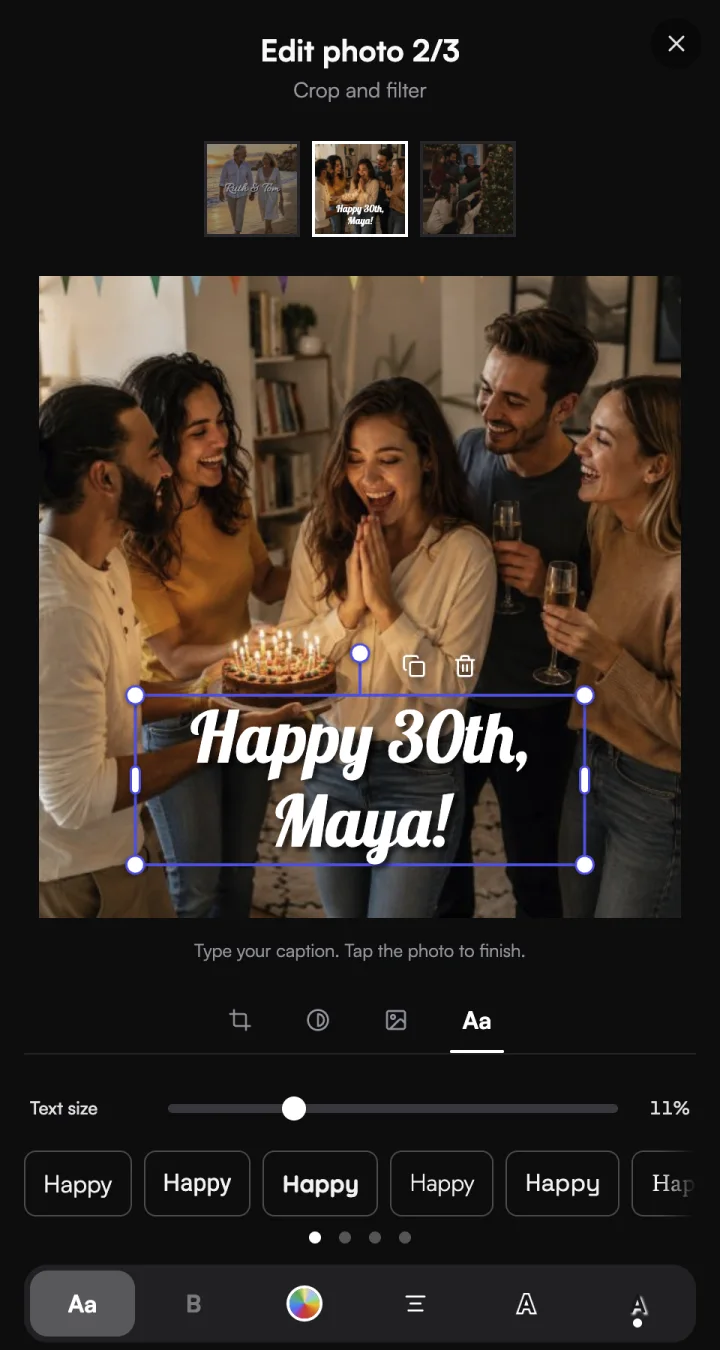
Happy 30th, Maya! typed on a birthday photo, with font buttons showing the word Happy in each font

Style

Fonts, colour, outline, and shadow.
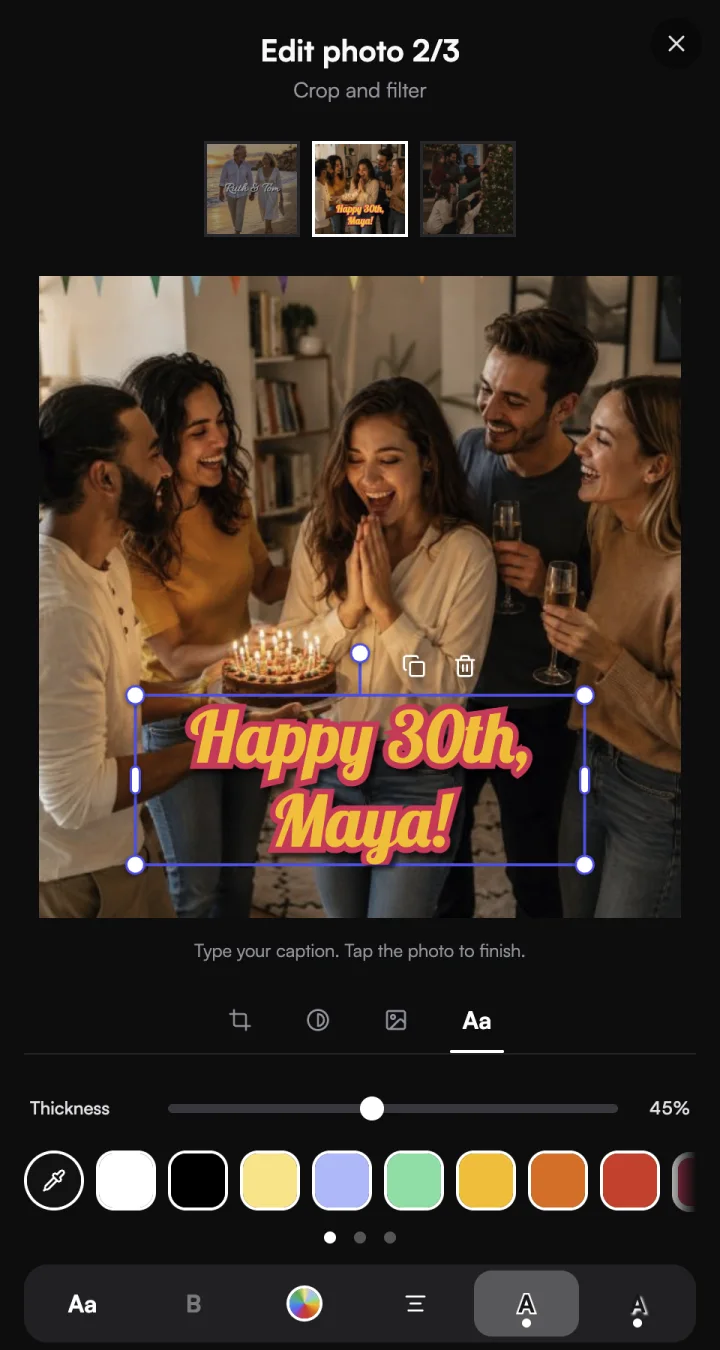
From clean sans to flowing script. Match a colour from the photo, then add an outline or shadow so the words stand out.
Yellow caption with a raspberry outline on a birthday photo, with the outline thickness slider and colour swatches below

Check

Checked before they pay.

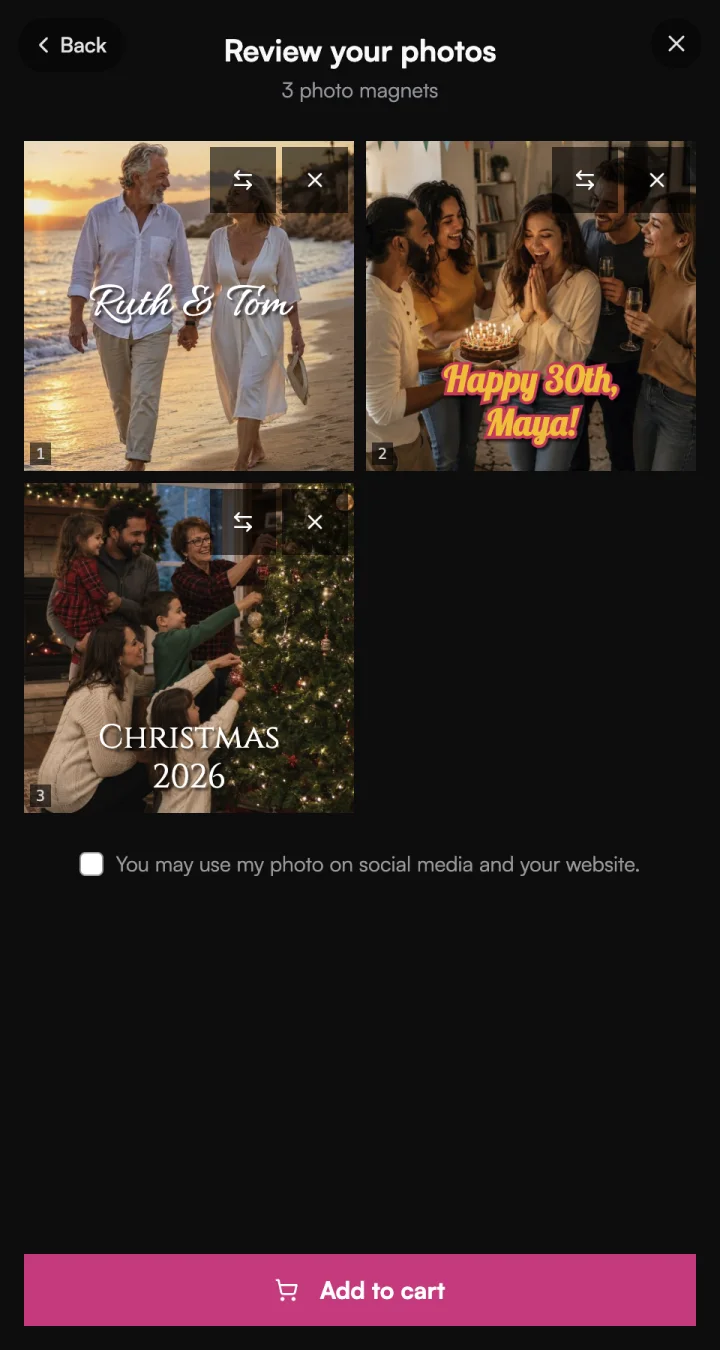
Captions show on the review screen, the thumbnails, and in the cart. Drafts save as they go.
Review your photos screen with three captioned magnets: Ruth & Tom, Happy 30th, Maya!, and Christmas 2026

For you

What they see is what you print.

Print

Prints exactly as previewed.

Captions print at 300 DPI, in the same size and spot the customer saw, straight from your Print Queue.

The Magnet Customizer warns before checkout if words would be trimmed at the wrap.
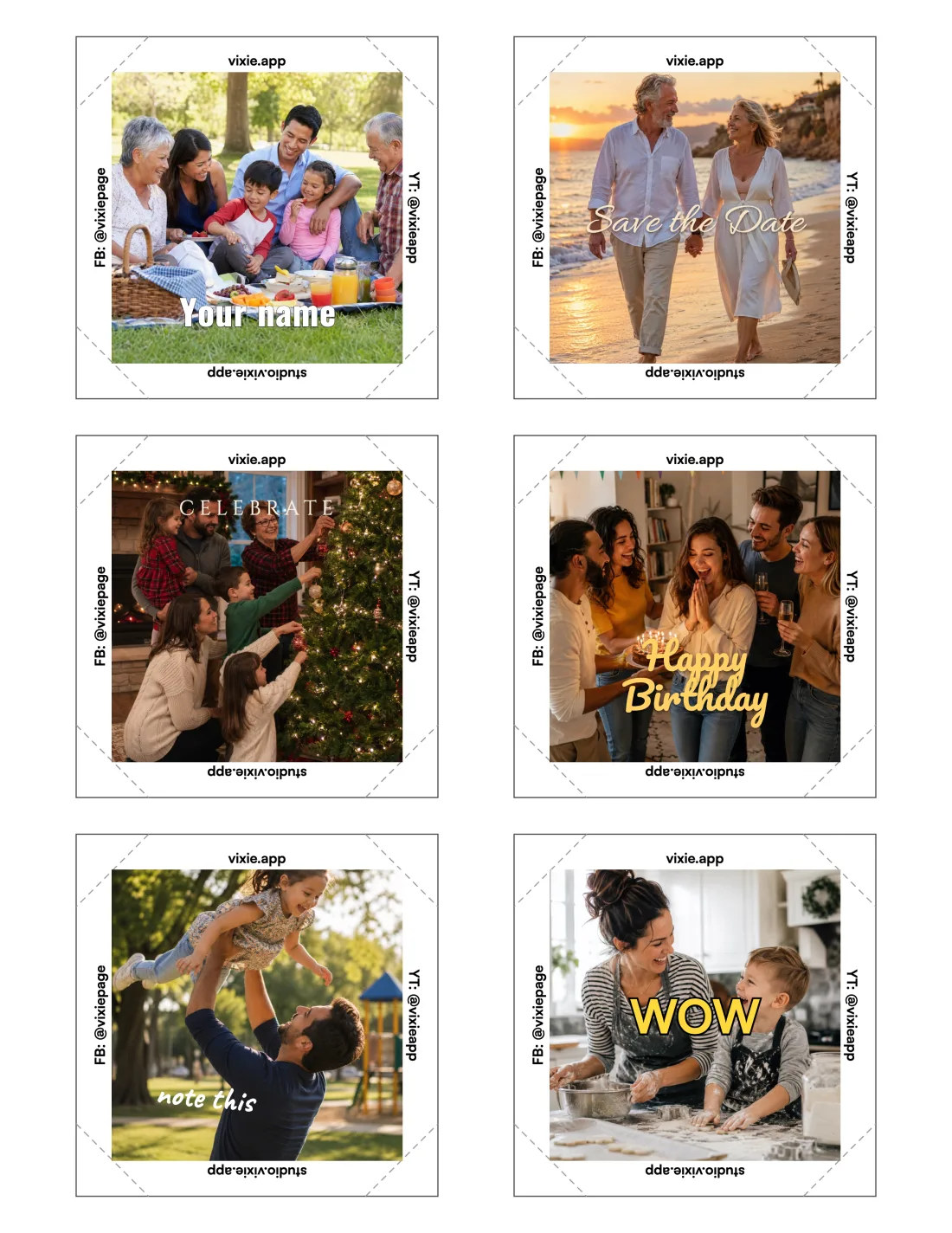
A US Letter print sheet of six captioned photo magnets with cut lines and edge text

Print Studio

Add text to your own sheets.

Start from a Quick style like Name tag or Save the date, then put it on every magnet on the sheet in one go.

The free studio at studio.vixie.app includes two captions per magnet.
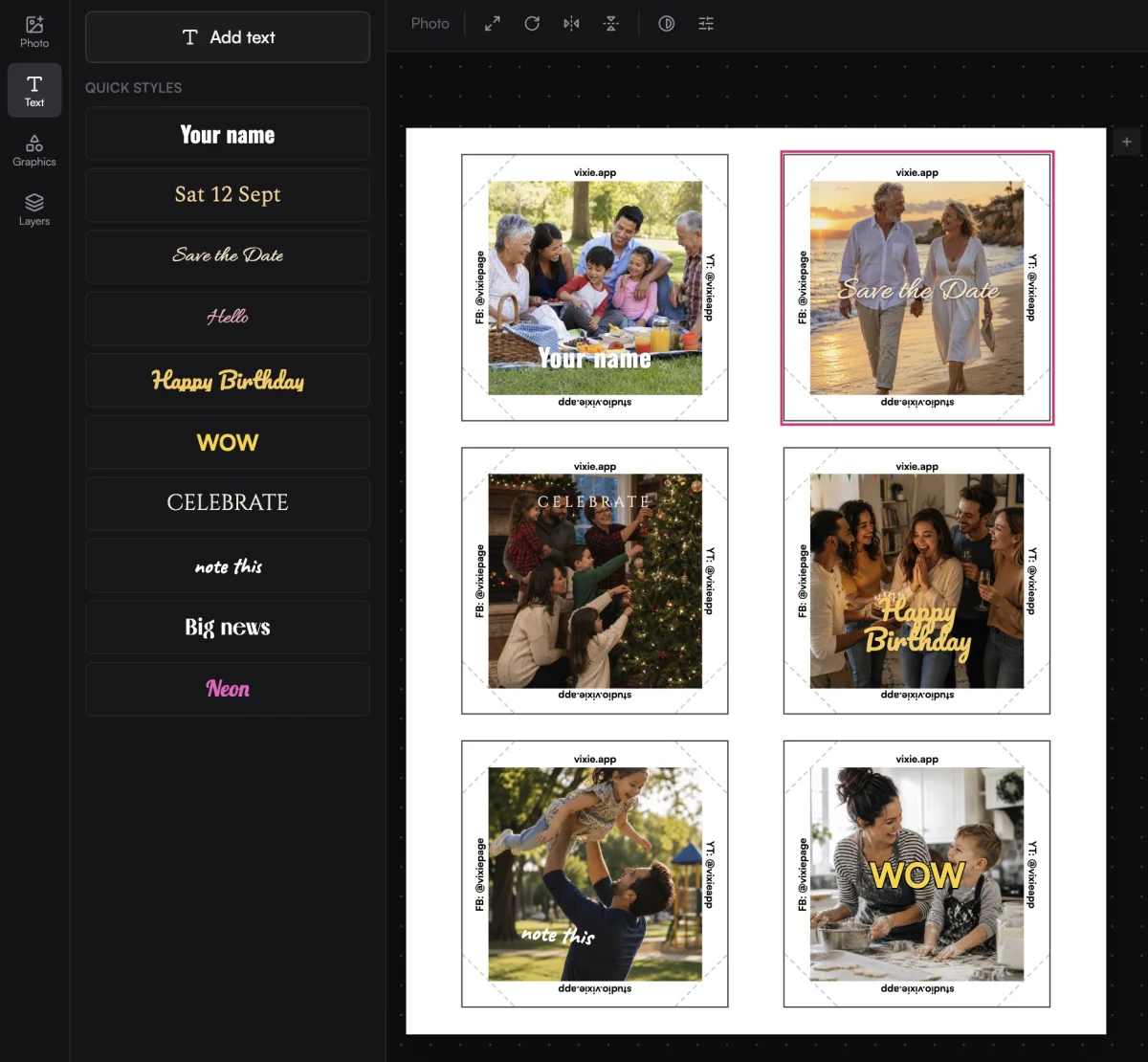
Print Studio with the Quick styles list next to a sheet of six captioned magnets

The details

Small touches that make captions easy.

Drag, pinch, and snap

Pinch to resize or rotate. Captions snap to the centre, the safe area, and 45° angles.

Up to five per magnet

Up to 280 characters each. Duplicate, delete, or reorder them.

Bold, size, and alignment

Bold, any size, see-through text, and left, centre, or right alignment.

Wrap warnings

Flags words that would be trimmed at the wrap, and shrinks text that runs over.

Colours from the photo

Pick a swatch, mix a custom colour, or sample one from the photo.

Accents print right

French, Spanish, German, Polish, and Nordic letters print as typed.

Questions

Text captions, answered.

How do customers add text?+
They open the Aa tab in the Magnet Customizer, tap the photo, and type. It's the same place they crop and filter.
Which products can have captions?+
Photo magnets, in any shape and size you sell. Puzzle Magnets and Graphic Magnets don't take captions.
Which fonts can customers use?+
Sans, serif, script, display, and mono styles, from Pacifico and Great Vibes to Cinzel and Oswald, and the list keeps growing. Each font button previews the customer's own words.
Will the text look the same when it prints?+
Yes. Captions go into the print file at 300 DPI, in the same size and spot as the preview. Before checkout, the Magnet Customizer warns if any words would be trimmed where the magnet wraps.
Does it cost extra?+
No. Text captions come with every Vixie plan.
Does it work on Shopify?+
Yes. Captions work on photo products in the Magnet Customizer, the same way they do at events and in your online store.
Can I add text to magnets myself?+
Yes. Print Studio in your dashboard lets you add text to any magnet on a sheet, starting from a Quick style if you like.

Let customers make it theirs.

Start a free trial and add a caption to a test order on your own phone. It takes a couple of minutes.

No card to start. Add one to go live with an event.