Every paid order, on a print-ready sheet.
Orders from your booth, your online store, Shopify, and Wix line up in one Print Queue. Pick your paper and press Print.
Works with any standard photo or sticker printer.
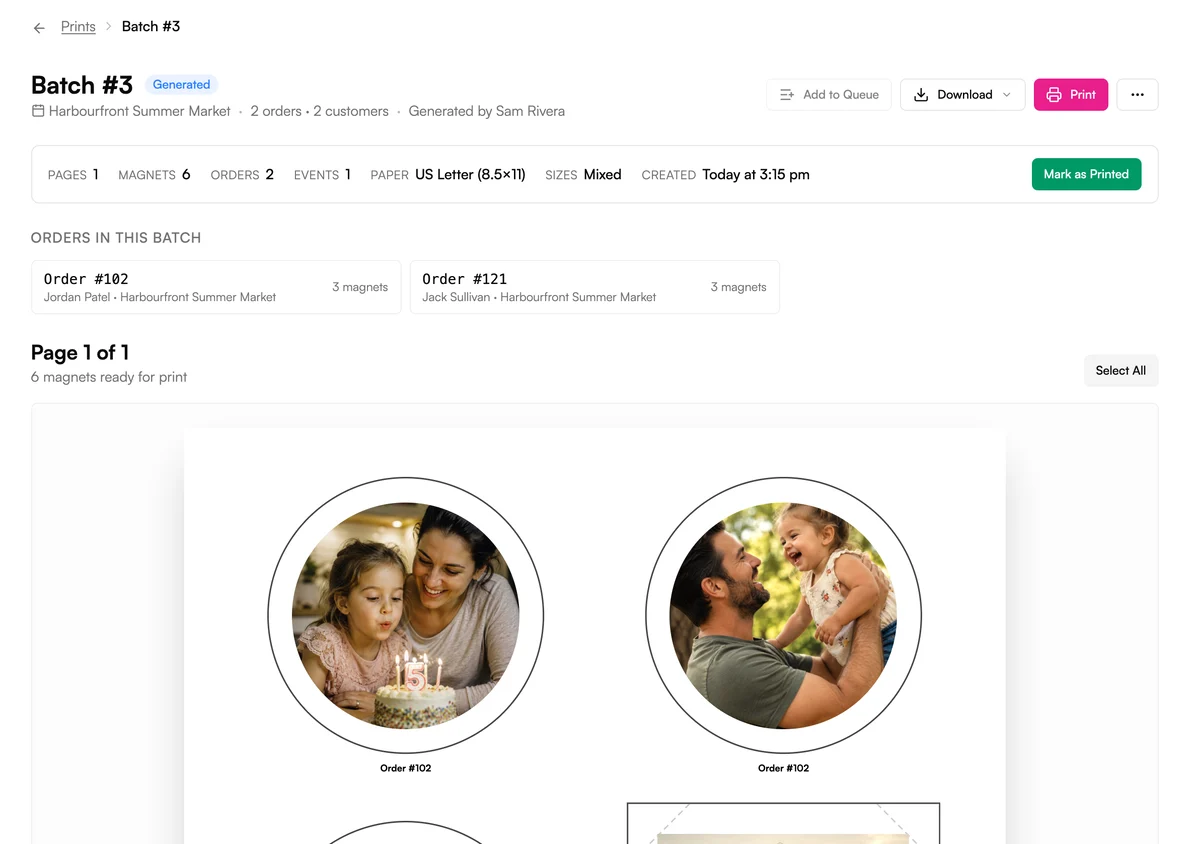
How it works
From paid order to printed sheet.
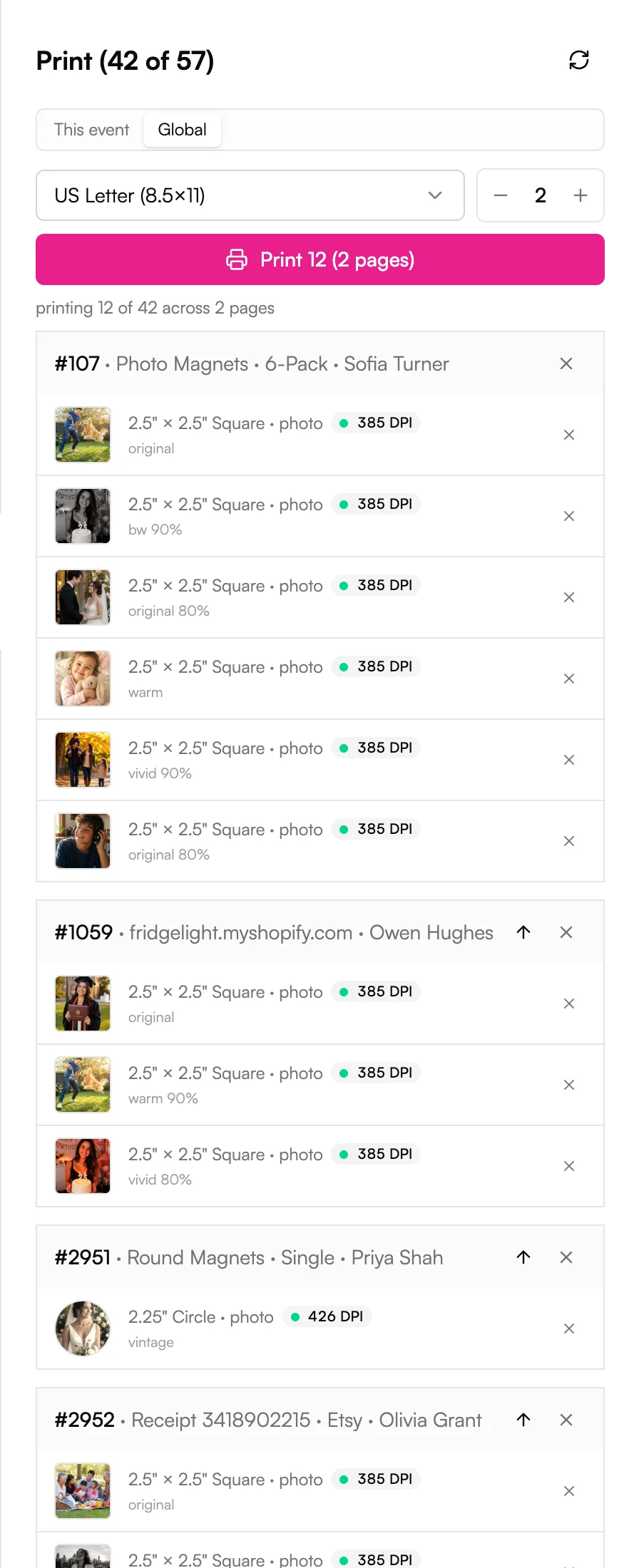
Queue
One queue for every channel.
Switch between this event and all orders with one toggle.
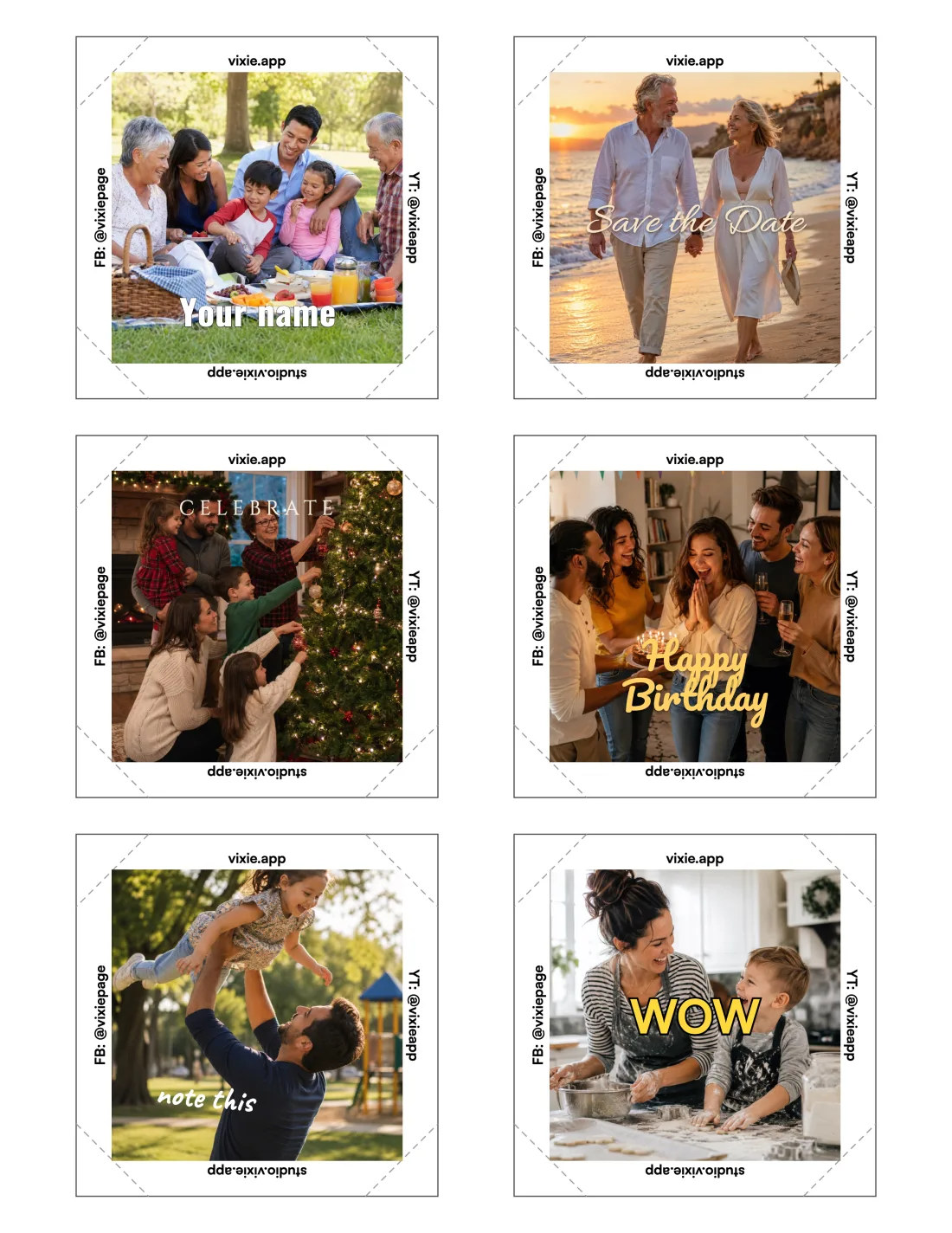
Sheets that are ready to cut.
Download as PNG or PDF, or print straight from the browser.
The details
Built for a busy press.
Paper you already have
US Letter, A4, A3, 13×19, and more, down to 4x6 and 5×7.
Up to 10 pages at once
Pick how many pages to print. Orders that don't fit wait for the next print.
Statuses move on their own
Printing moves orders along, and Mark as Printed sets them to Ready.
Reprint an order
Sheet jammed? Reprint the order from its Print order dialog.
Batches you can reopen
Every print is a numbered batch. Download it as PNG or PDF, or open it in Print Studio.
Sized to your press
Set your press measurements once in Edit Measurements.
Works on
Works wherever you sell.
Events
Booth orders queue up the moment they're paid.
Sell at events →Online store
Online orders join the same queue as your events.
Your own online store →Shopify
Shopify orders print from the same queue, tagged with their store order number.
Your Shopify store →Wix
Wix orders print from the same queue as everything else.
Your Wix store →Questions
Print Queue, answered.
Do I need a special printer?+
Do Shopify, Wix, and online store orders use the same queue?+
Can different magnet sizes share a sheet?+
What happens to orders that don't fit?+
Can I change a sheet before printing?+
Explore more features
Everything else that comes with Vixie.
Print your first sheet today.
Start a free trial, place a test order, and print it on the paper you already have.
No card to start. Add one to go live with an event.