Get paid straight to your own account.
Customers pay through your Stripe, PayPal, Square, or SumUp account, or in cash at your table. Vixie never takes a cut.
Your provider charges its normal fees. Vixie adds 0%.
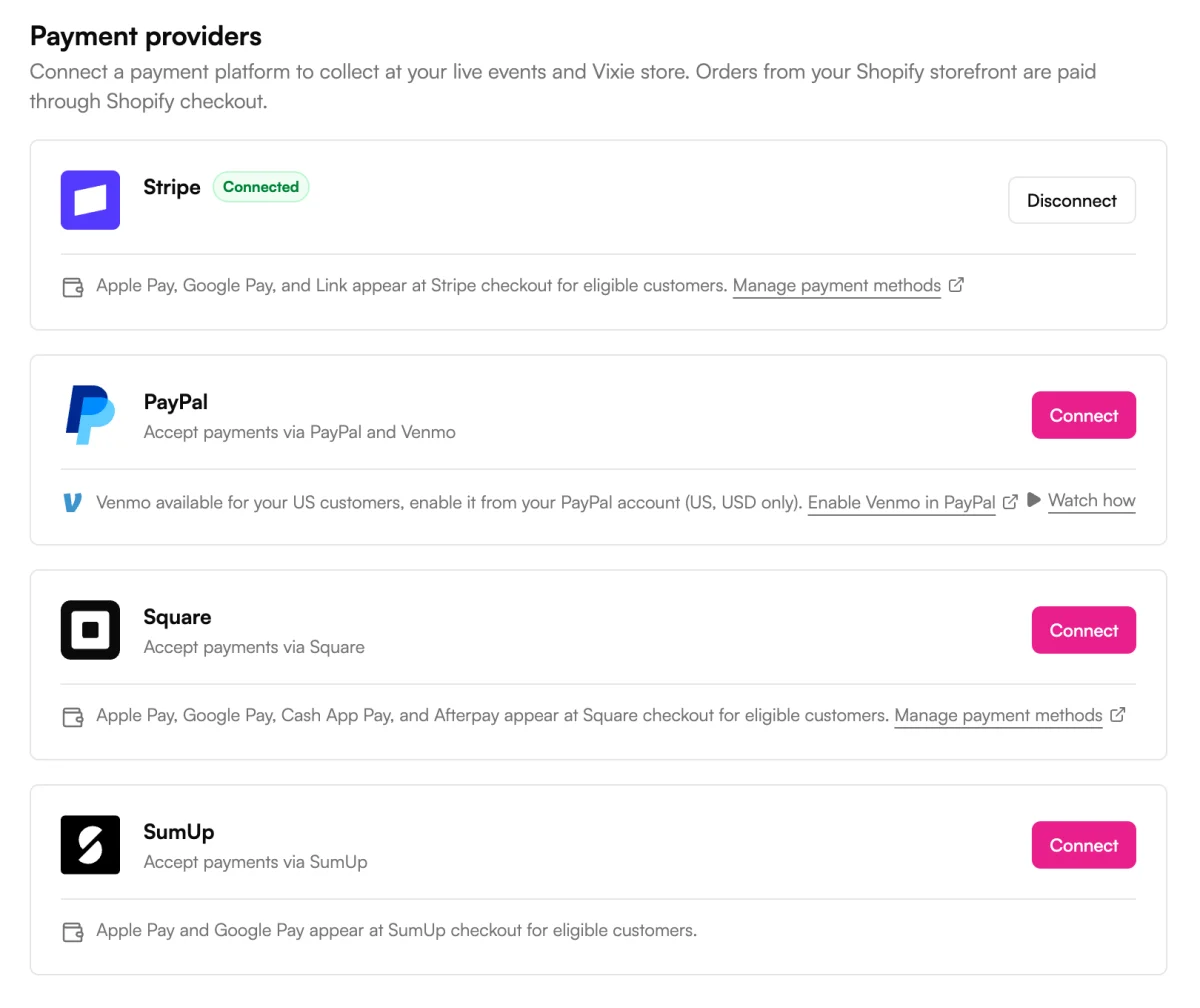
- Stripe
- PayPal
- Square
- SumUp
- Shopify
- Cash
How it works
Set up how you get paid.
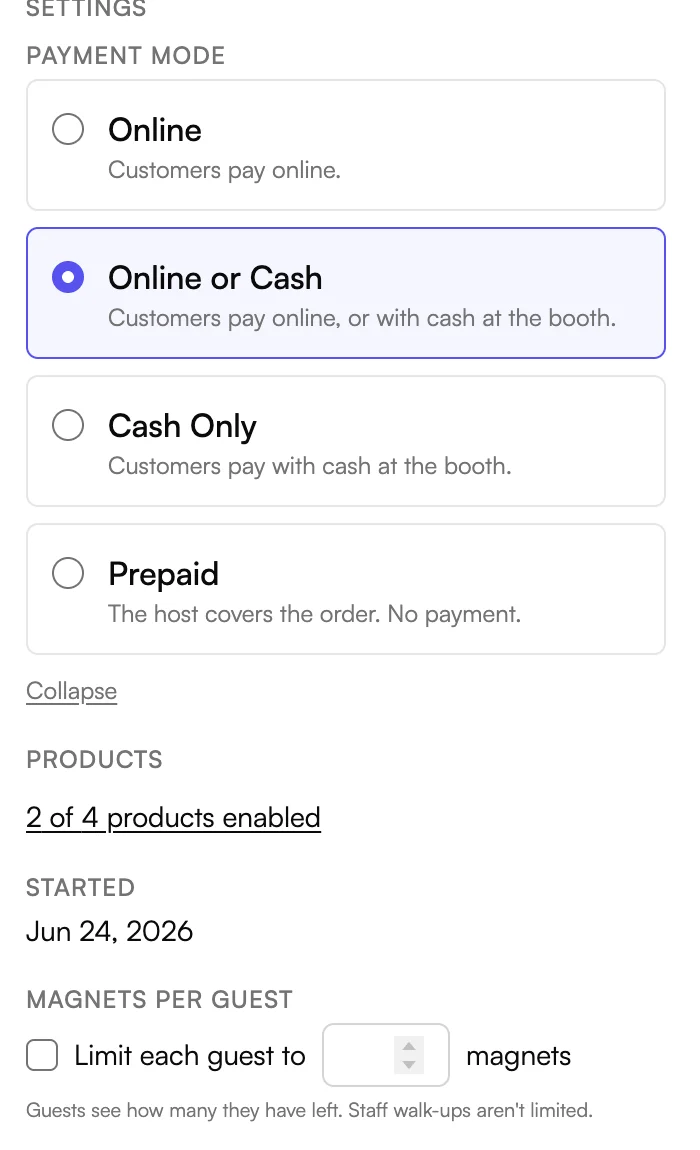
Payment modes
Four ways to take payment.
Set how many magnets each guest gets, in any mode.
Connect
Connect the account you already use.
Apple Pay and Google Pay appear when your provider offers them.
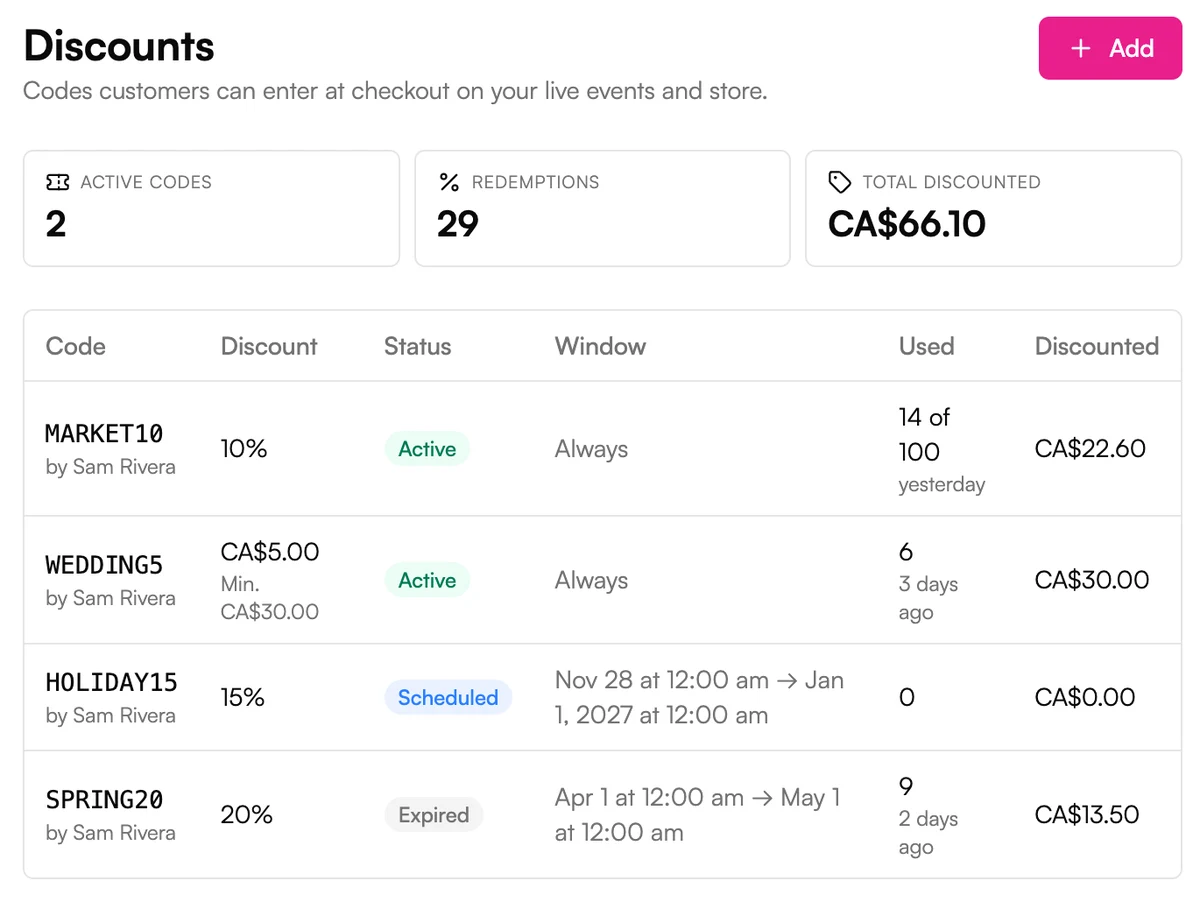
Discount codes
Run a sale with a discount code.
Give a code start and end dates, a usage limit, or a minimum order. You see how often each one gets used.
Keep every sale
Vixie never takes a cut of what you sell.
You pay one flat monthly price. Customer payments go straight to your own Stripe, PayPal, Square, or SumUp account. On Shopify or Wix, they go through your store's own checkout like any other order. Your provider charges its normal fees. Vixie adds nothing on top.
- Stripe
- PayPal
- Square
- SumUp
- Shopify
- Wix
The details
Every way to get paid.
0% from Vixie
Your provider charges its normal fees. Vixie adds nothing on top.
Paid to your account
Money lands in your own Stripe, PayPal, Square, or SumUp account.
Cash at your table
Mark the order paid and it joins the Print Queue.
Host-paid events
The host covers the order, so guests order without paying.
Magnets Per Guest
Limit each guest to a set number of magnets, and let them buy extras.
Discount codes
A percentage or a set amount off, at your events and in your store.
Sale dates and limits
Set when a code starts and ends, how many times it works, and a minimum order.
Taxes
Charge a flat rate, or let Stripe Tax work it out for each order.
Shopify checkout
Shopify orders go through your normal Shopify checkout.
Works on
Works wherever you sell.
Events
Customers pay on their phone, at your table, or not at all when the host covers it.
Sell at events →Online store
Shoppers check out with any provider you've connected.
Your own online store →Shopify
Orders go through your normal Shopify checkout.
Your Shopify store →Wix
Orders go through your normal Wix checkout.
Your Wix store →Questions
Payments, answered.
Does Vixie take a percentage of my sales?+
Which payment providers can I use?+
Can I take cash?+
How do host-paid events work?+
Can I offer discount codes?+
Do customers get Apple Pay and Google Pay?+
Which plans include payments?+
Explore more features
Everything else that comes with Vixie.
Keep every sale.
Start a free trial, connect your payment account, and take a test order.
No card to start. Add one to go live with an event.