Run the line from one screen.
A live board for every event, walk-up orders your staff place for customers, and a status page that tells customers when to come back.
Sign in on as many phones and tablets as you need.
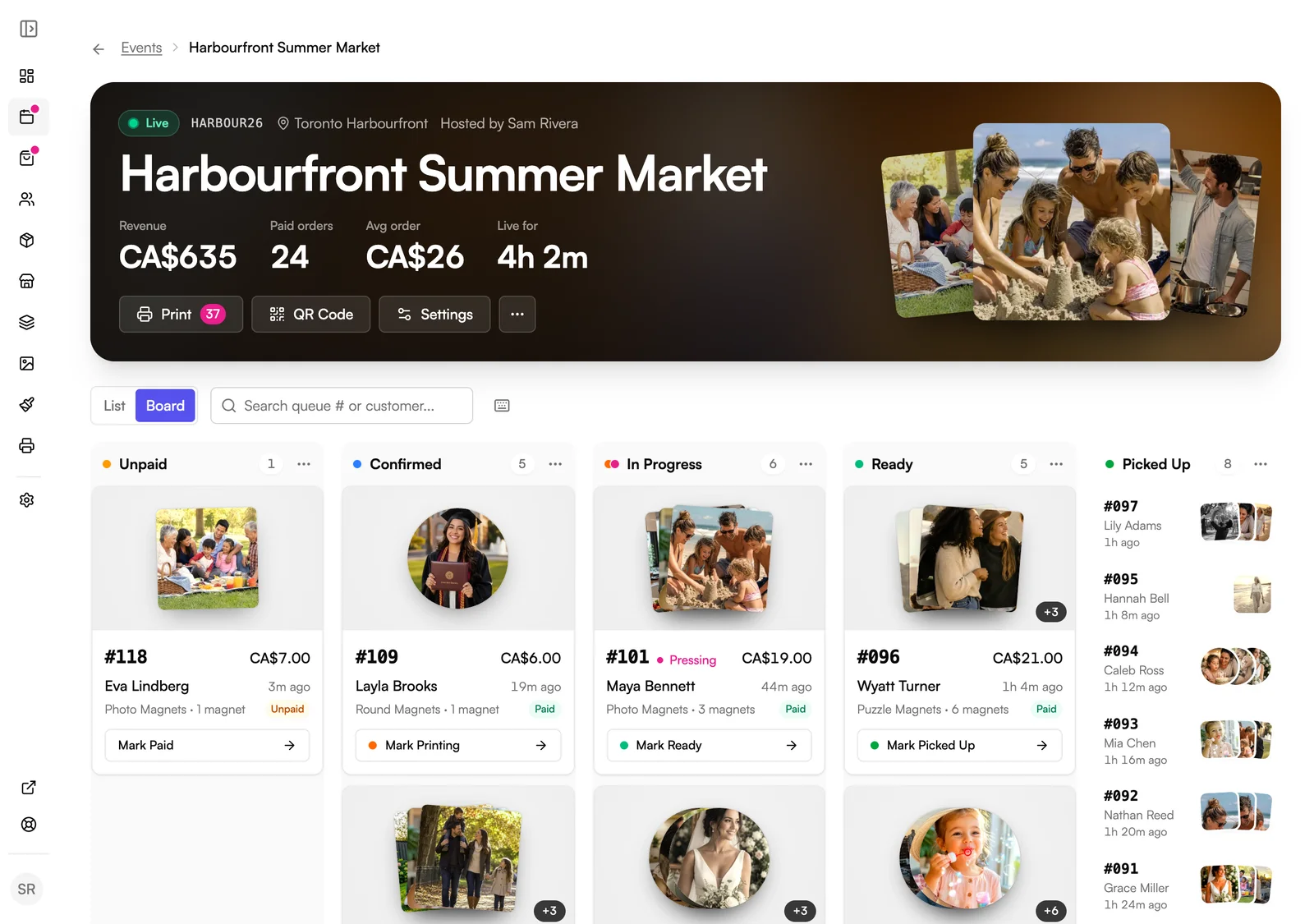
On event day
Keep every order moving.
Status page
Customers know when to come back.
Customers keep browsing the market while they wait.

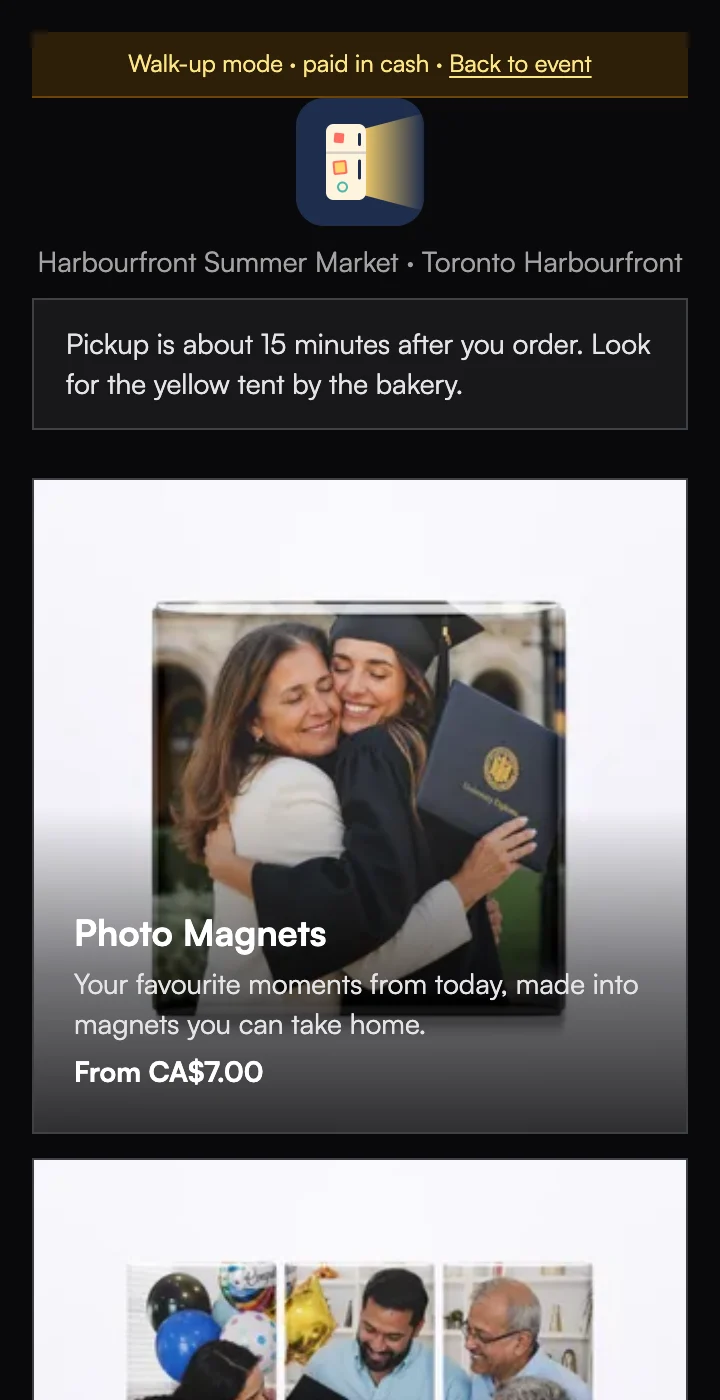
Walk-ups
Place an order for a customer.
A name is optional, so the line keeps moving.
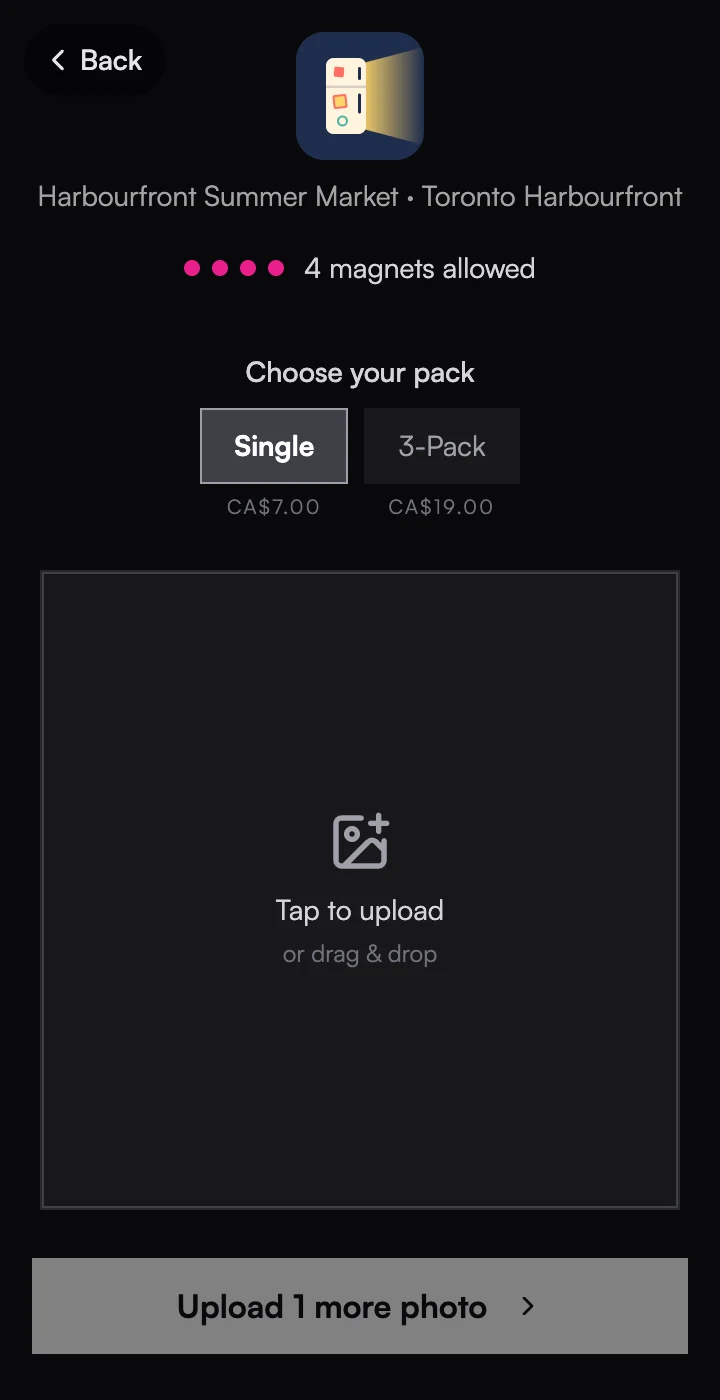
Guest limits
Set how many magnets each guest gets.
Let guests buy extras once they've used theirs, at your event prices.
The details
Small things that save you time.
Filter the board
Jump between Unpaid, Confirmed, In Progress, and Ready.
Find any order
Search by queue number or customer name.
A sound for new orders
Hear each new customer order while the event page is open.
Mark Paid
Take cash at your table and the order joins the queue.
Team logins
Store and Growth include three logins, with Owner, Admin, and Staff roles.
Every channel in one place
Your Orders page has tabs for events, your store, Shopify, and Wix.
Works on
Works wherever you sell.
Events
The live board, walk-ups, and status pages run every event.
Sell at events →Online store
Store orders land on your Orders page and print from the same queue.
Your own online store →Shopify
Shopify orders print from the same queue, tagged with their status.
Your Shopify store →Wix
Wix orders get their own tab and print from the same queue.
Your Wix store →Questions
Order management, answered.
Can my team help from their own phones?+
How do customers know their order is ready?+
Can I limit how many magnets each guest gets?+
Can my staff place an order for a customer?+
What's in the end-of-event report?+
Do Shopify orders show up too?+
Explore more features
Everything else that comes with Vixie.
Run your next event on Vixie.
Start a free trial, set up an event, and take a test order on your own phone.
No card to start. Add one to go live with an event.