Customers crop, filter, and check every magnet.
They upload from their camera roll, crop to the shape, and see what wraps around the edge before they pay.
No app and no account for your customers.
For your customers
Everything they need to get it right.
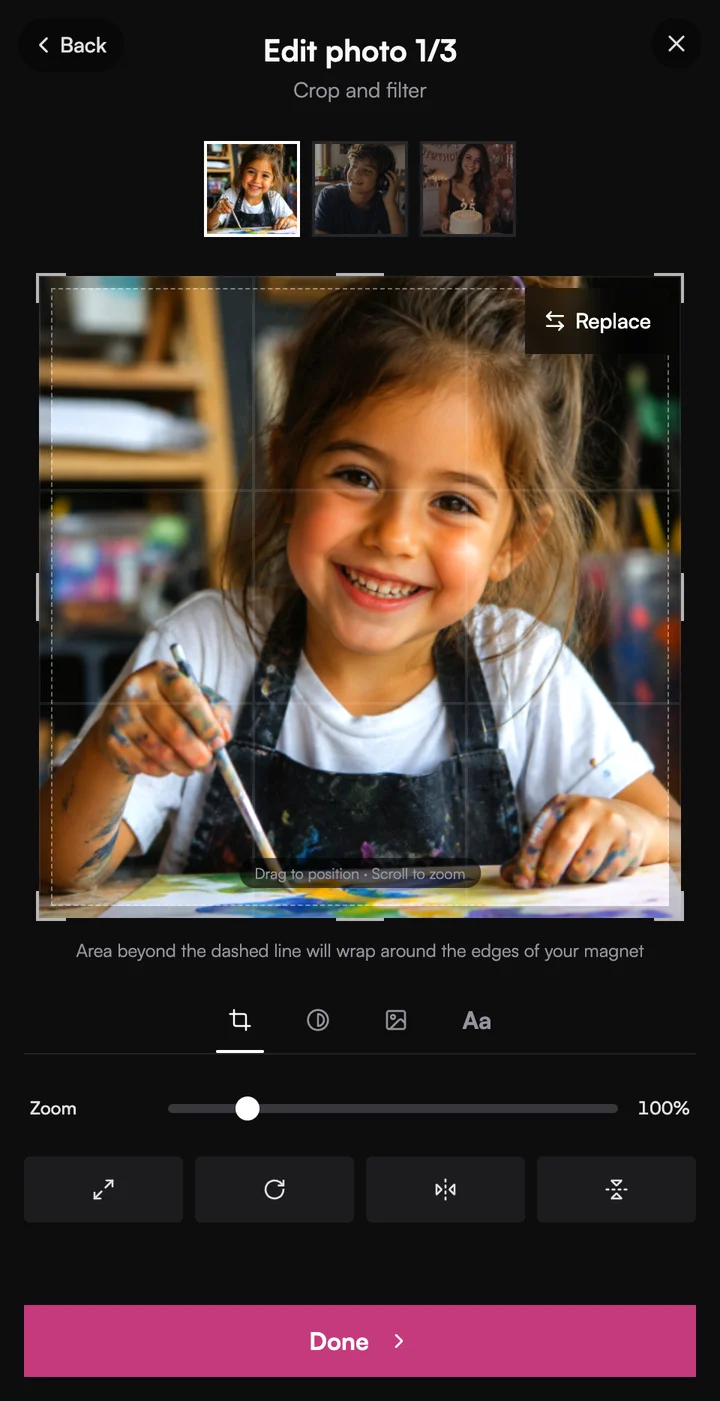
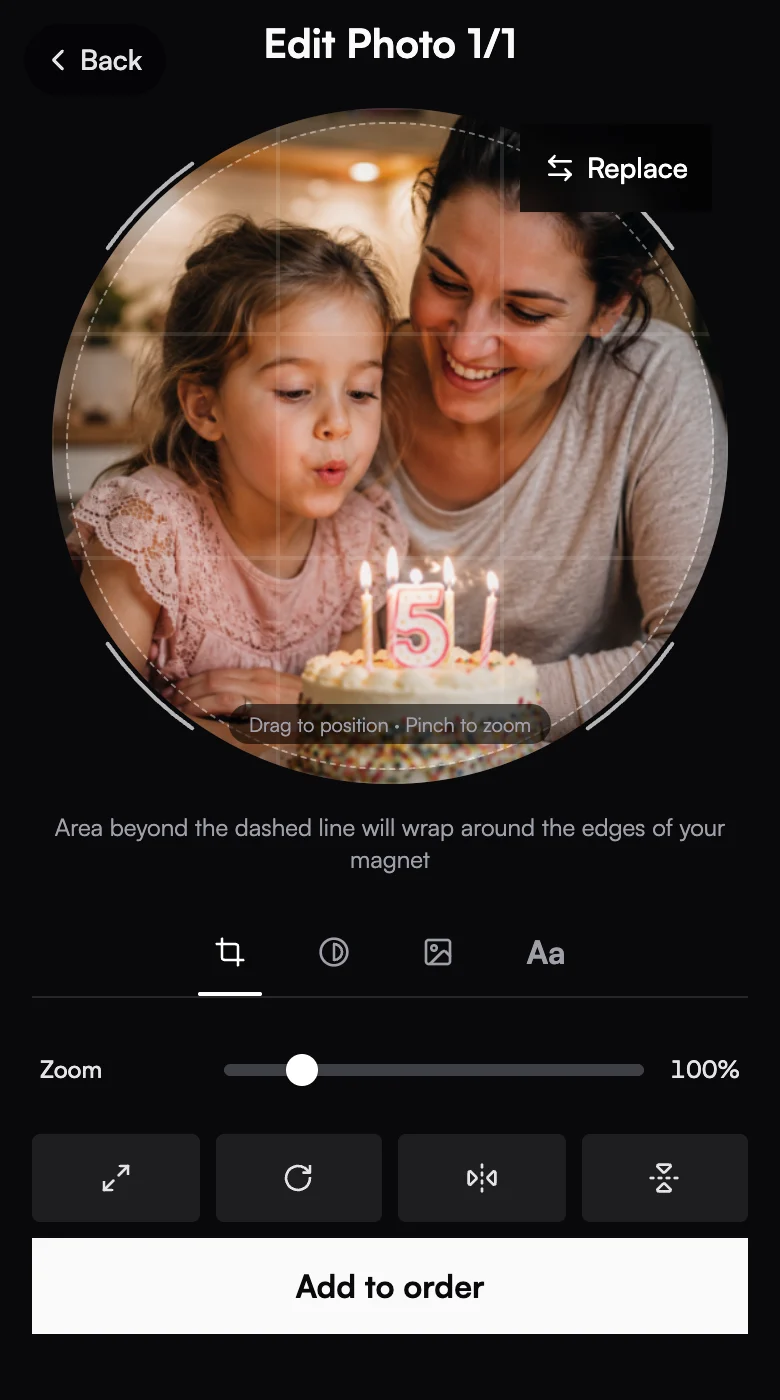
Crop
Crop to the exact shape.
Fit, rotate, and flip are one tap each.
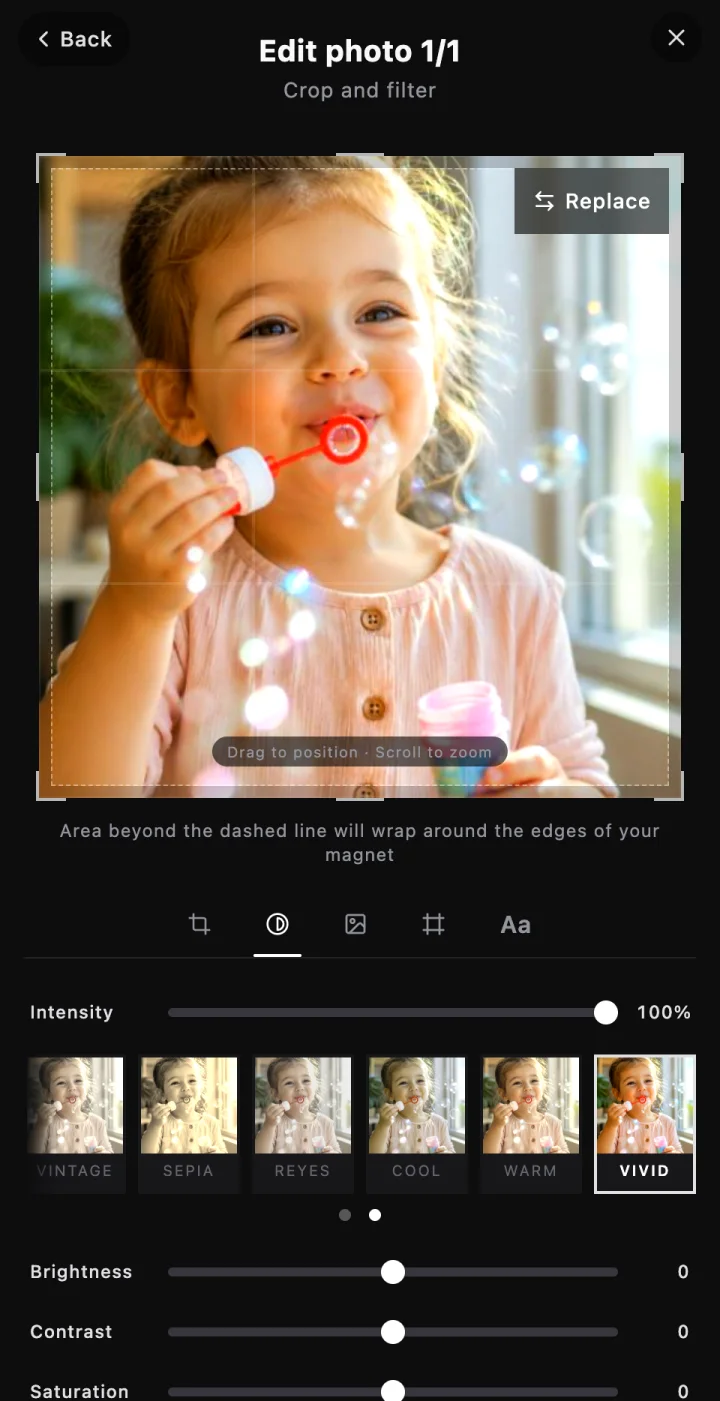
Filter
Filters and adjustments.
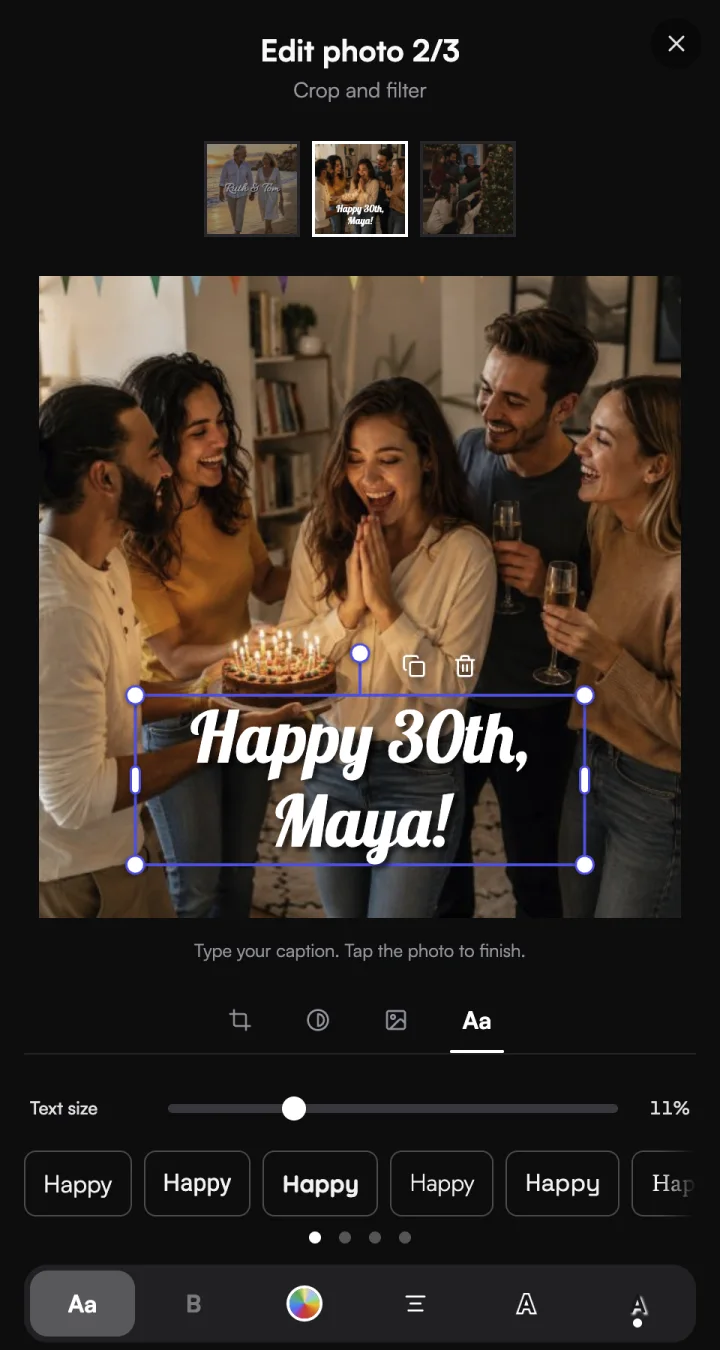
Add text
Names, dates, and messages.
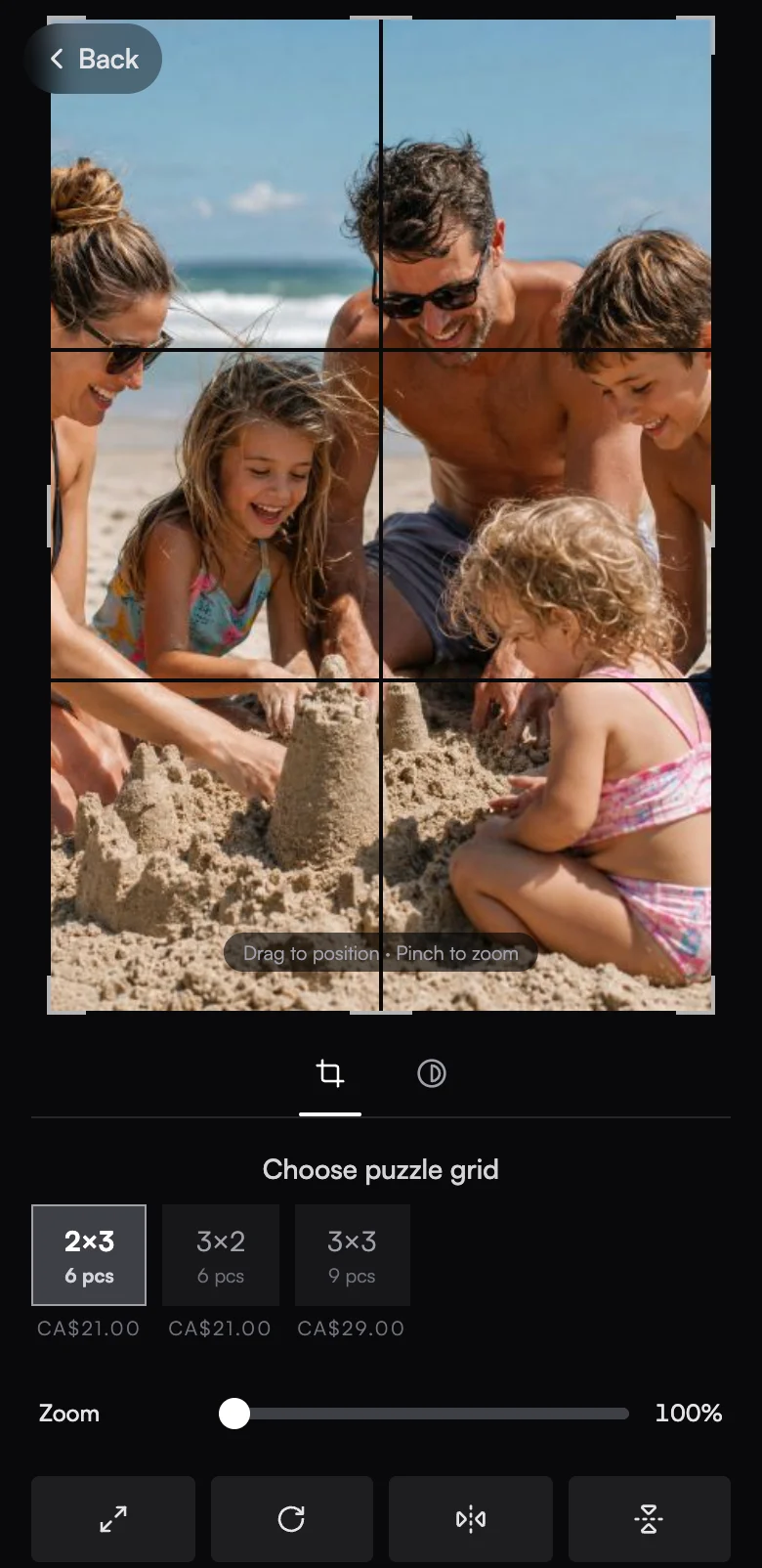
Puzzles
Puzzle Magnets from one photo.
You choose which grids to offer.
The details
The rest of the Magnet Customizer.
Squares, rounds, and rectangles
Offer up to five sizes per product. Round products crop round.
Background removal
Customers cut the photo out and add a sticker outline in any colour.
Your frames and backgrounds
Upload your own, and a Frames tab appears for customers.
Apply to all
Put one filter, frame, or background on every photo in a pack.
Replace a photo
Swap in a different photo without losing the rest of the pack.
Text captions
Names and dates typed onto the photo. See text captions.
Works on
Works wherever you sell.
Events
Customers scan your QR code and design on their own phone.
Sell at events →Online store
The same Magnet Customizer opens from every product in your shop.
Your own online store →Shopify
Runs right on your Shopify product pages.
Your Shopify store →Wix
Runs right on your Wix Stores product pages.
Your Wix store →Questions
Photo personalizer, answered.
Do customers need to download an app?+
Which photos can customers upload?+
How do customers know what wraps around the edge?+
Can customers remove the background?+
Can I add my own frames?+
Which puzzle grids can customers pick?+
Explore more features
Everything else that comes with Vixie.
Try the Magnet Customizer on your own phone.
Start a free trial, add a product, and place a test order in a couple of minutes.
No card to start. Add one to go live with an event.